Skip to content
Back to Prompts

E-commerce Main Image - Multi-Language Figure Product Introduction Layout Prompt for Nano Banana Pro

@てんねん·

A detailed JSON-like prompt structure designed exclusively for Nano Banana Pro to transform a reference image character into a collectible figure and present it in a professional product introduction layout. Users can customize the display language, product name, and manufacturer name.
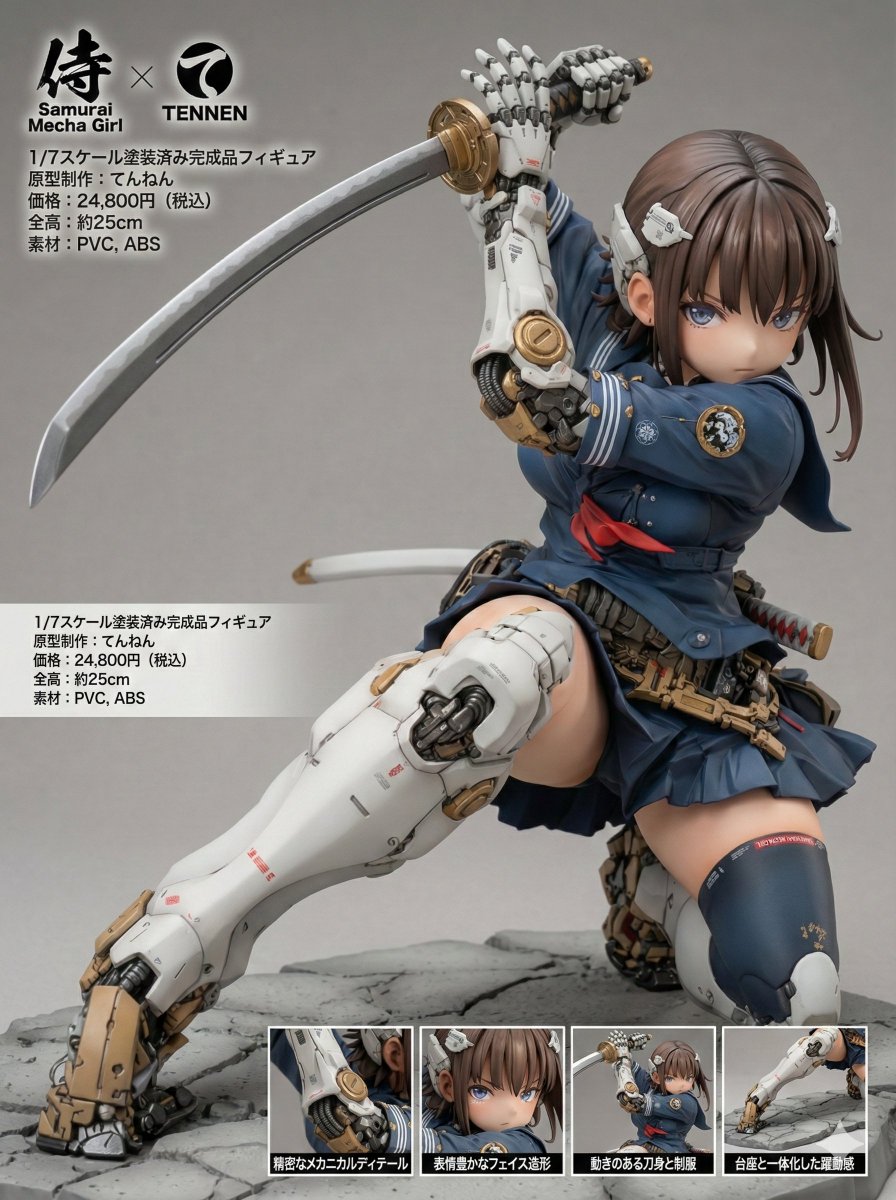
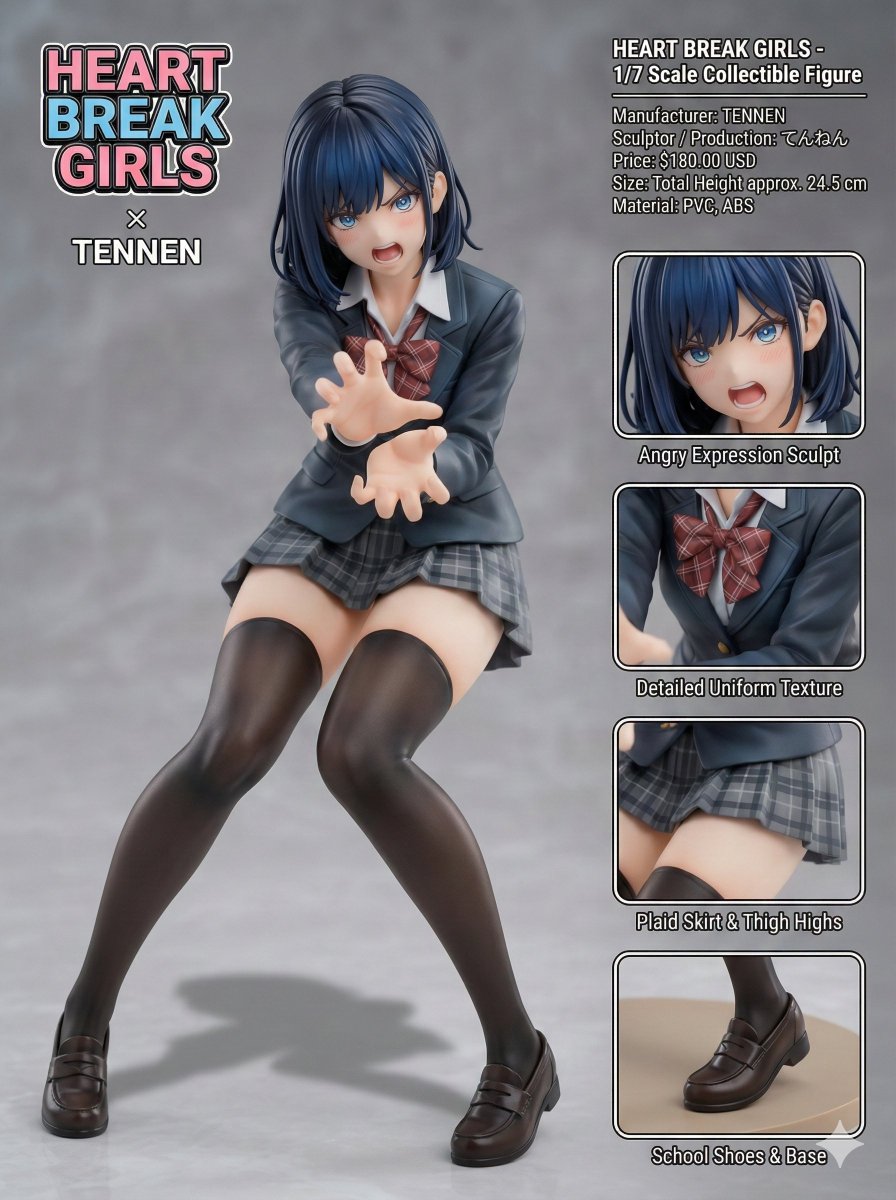
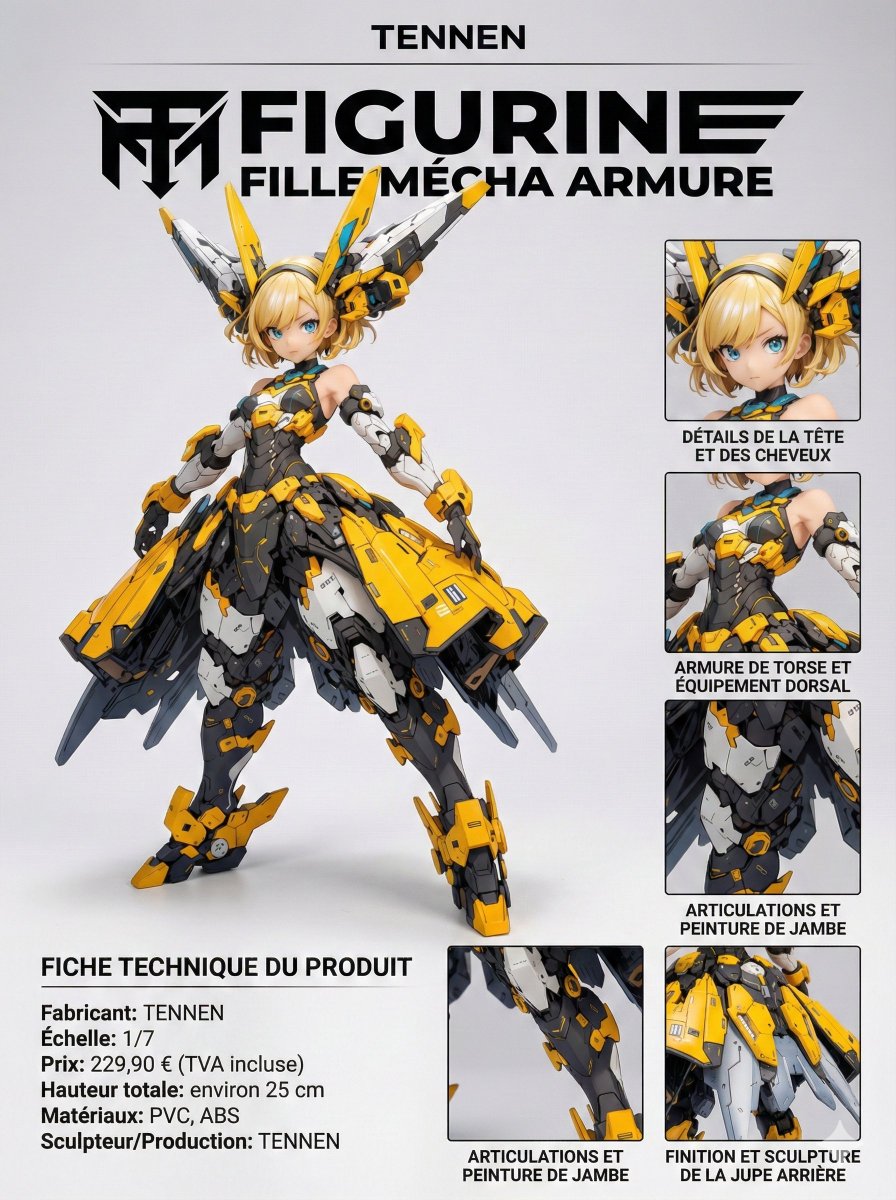
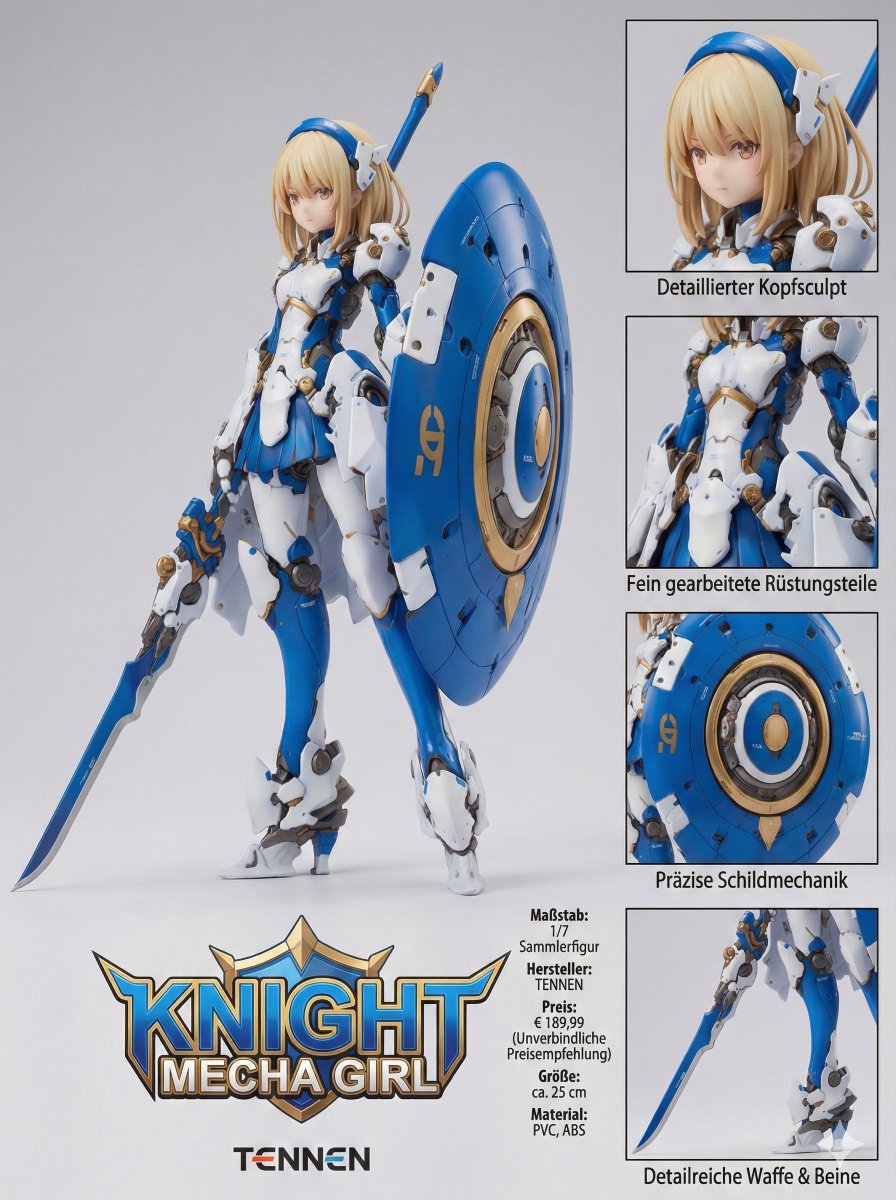
E-commerce Main Image - Multi-Language Figure Product Introduction Layout Prompt for Nano Banana Pro - Image 1
E-commerce Main Image - Multi-Language Figure Product Introduction Layout Prompt for Nano Banana Pro - Image 2
E-commerce Main Image - Multi-Language Figure Product Introduction Layout Prompt for Nano Banana Pro - Image 3
E-commerce Main Image - Multi-Language Figure Product Introduction Layout Prompt for Nano Banana Pro - Image 4
Prompt
[Figure Product Introduction Style Layout Prompt – Multi-Language Compatible Version] This prompt allows you to transform a character from a reference image into a collectible figure and present it in a product introduction–style layout. The display language can be selected from four options: Japanese, English, German, or French. Please read this description carefully until the end. ※ This prompt is intended exclusively for Nano Banana Pro. ※ Unauthorized reproduction or redistribution of this prompt is prohibited. ◆ Overview Display Language (language) You can choose from: - "ja" (Japanese) - "en" (English) - "de" (German) - "fr" (French) Product Name (product_name) Manufacturer Name (manufacturer_name) You may specify any arbitrary strings for both values. Product Name Logo: The product name logo is inferred from the product name string and the visual atmosphere of the reference image. Manufacturer Logo: The manufacturer logo is inferred from the manufacturer name string. ※ Depending on the selected display language, these names may be translated or localized automatically. Size: The total height (in centimeters) is inferred and displayed based on the character’s body proportions and the 1/7 scale setting. Material: Appropriate materials for a collectible figure are inferred and displayed. Price: The retail price is inferred from the figure’s scale, modeling density, and paint detailing. Close-Up Views: Each close-up view is accompanied by a caption that explains a different part or feature of the figure. All captions are generated in the selected display language. ◆ How to Use Display Language (language) Rewrite the content inside the quotation marks ("") as shown below: language: "[en]" Available values: ja: Japanese en: English de: German fr: French Product Name (product_name) Manufacturer Name (manufacturer_name) Rewrite the content inside the quotation marks ("") using any arbitrary strings you like. The manufacturer name will also be reflected in the "Sculptor / Production" field. product_name: "[ARBITRARY_PRODUCT_NAME]" manufacturer_name: "[ARBITRARY_MANUFACTURER_NAME]" ◆ Precautions for Using This Prompt This prompt does not intentionally include any specific work titles, author names, character names, or brand names. However, due to the internal processing or training data of the image generation model, unintended associations may occur. As a result, generated images may resemble existing works, characters, trademarks, or brand logos. Please exercise sufficient caution when using, publishing, or distributing generated images. We assume no responsibility whatsoever for any outcomes produced by using this prompt, or for any issues, damages, or disputes arising from such use. All usage is at your own risk and discretion. ◆ Prompt The full prompt for actual use is provided in the replies.

How to Use This Prompt

  1. Copy the full prompt text with the copy button above.
  2. Replace any [bracketed] placeholders with your own subject, scene, or details.
  3. Paste it into Gemini / Nano Banana Pro — or hit "Try this Prompt" above to generate here for free — then tweak the wording against the example images.

Style Notes

Architecture
Buildings and structures with believable perspective and materials — wide lenses, strong leading lines, attention to light on facades.
Cinematic
Film-style rendering — widescreen framing, dramatic lighting contrast, graded colors (often teal-orange), and a sense of narrative in the scene.
Close-up
Tight crop on the subject — texture and emotion over context; pairs naturally with high-detail and shallow depth of field.
E-commerce Listing
Marketplace-ready product imagery: white or lifestyle background, accurate color, standard crops that fit listing templates.
Illustration
Hand-drawn or digital-painting aesthetics — visible strokes, stylized shapes and colors, deliberately not photoreal.
Logo / Icon
Symbol-first design — simple geometry that survives being scaled down, flat color, strong silhouette. Expect to vectorize the output before real use.
Product Shot
E-commerce style product photography: the item isolated on a clean or styled surface, even studio light, true-to-material color.

FAQ

How do I use this prompt with Gemini (Nano Banana Pro)?

Copy the full prompt with the copy button above, paste it into Gemini or any Nano Banana Pro-powered tool, and compare your result with the example images on this page. You can also click "Try this Prompt" to generate directly on this site — free daily generations, no sign-up needed.

Can I customize "E-commerce Main Image - Multi-Language Figure Product Introduction Layout Prompt for Nano Banana Pro"?

Yes. Anything in [brackets] is a placeholder meant to be replaced with your own subject or details, and you can freely adjust subject, lighting, or style keywords — small wording changes often produce noticeably different results.

Which AI models does this prompt work with?

It was originally shared for Google's Gemini image models (including Nano Banana Pro). Most text-to-image models will understand it too, though composition and text rendering quality vary by model.
Related Prompts