Skip to content
Back to Prompts

Giant City-Name Typography Travel Poster

@Goodmanprotocol··592

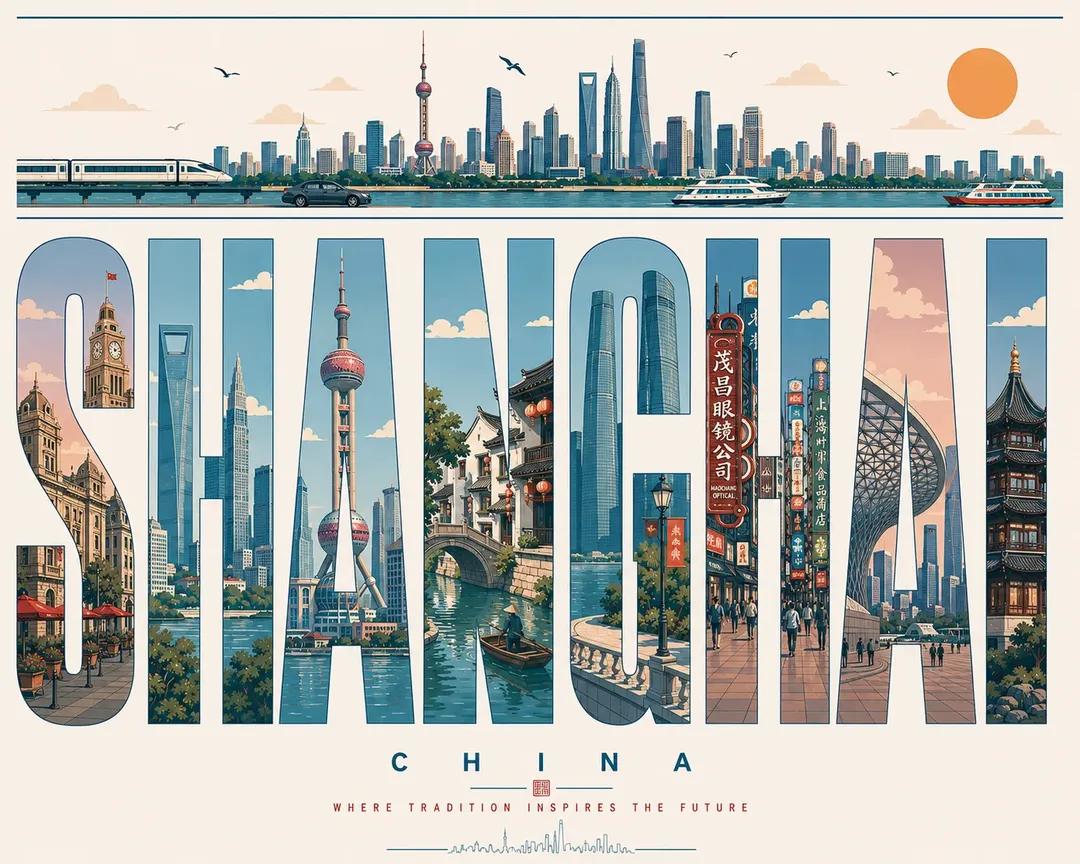
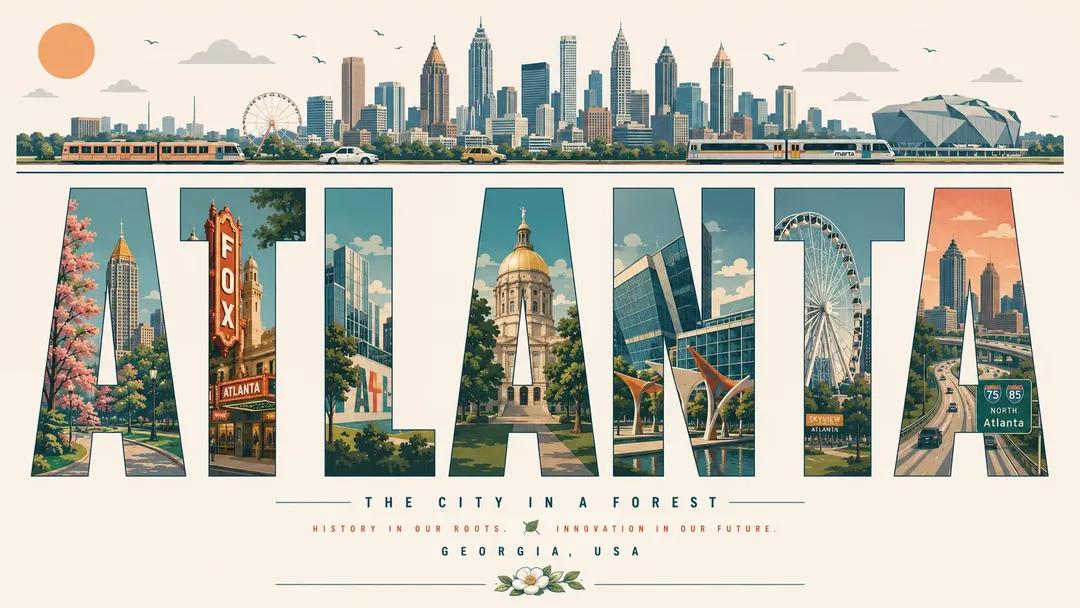
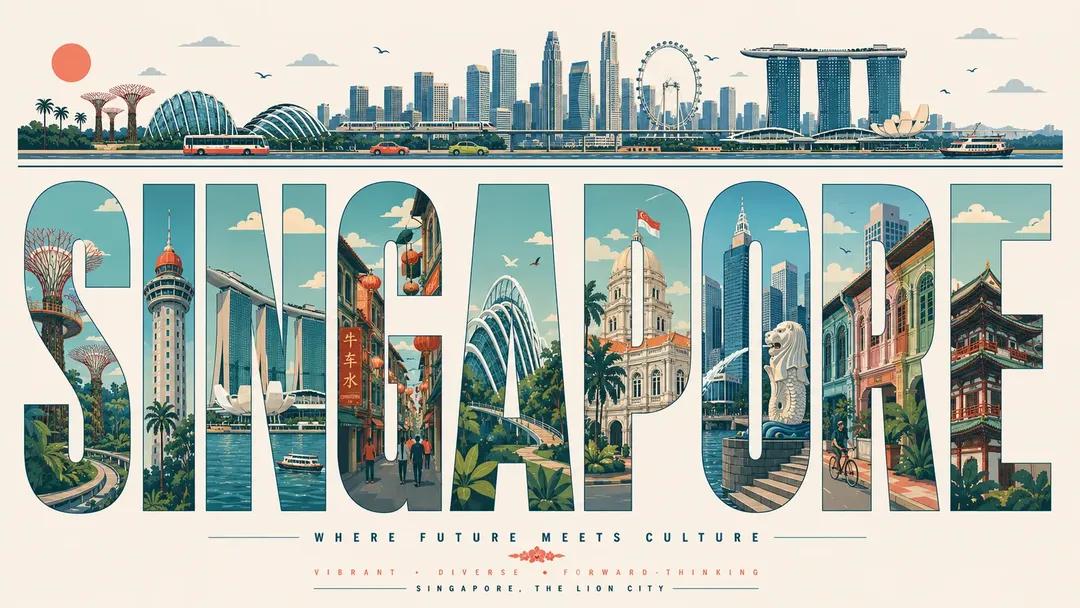
Create an ultra-high-resolution typography-based travel poster design themed around [CITY NAME].
Poster Design Prompt
Prompt
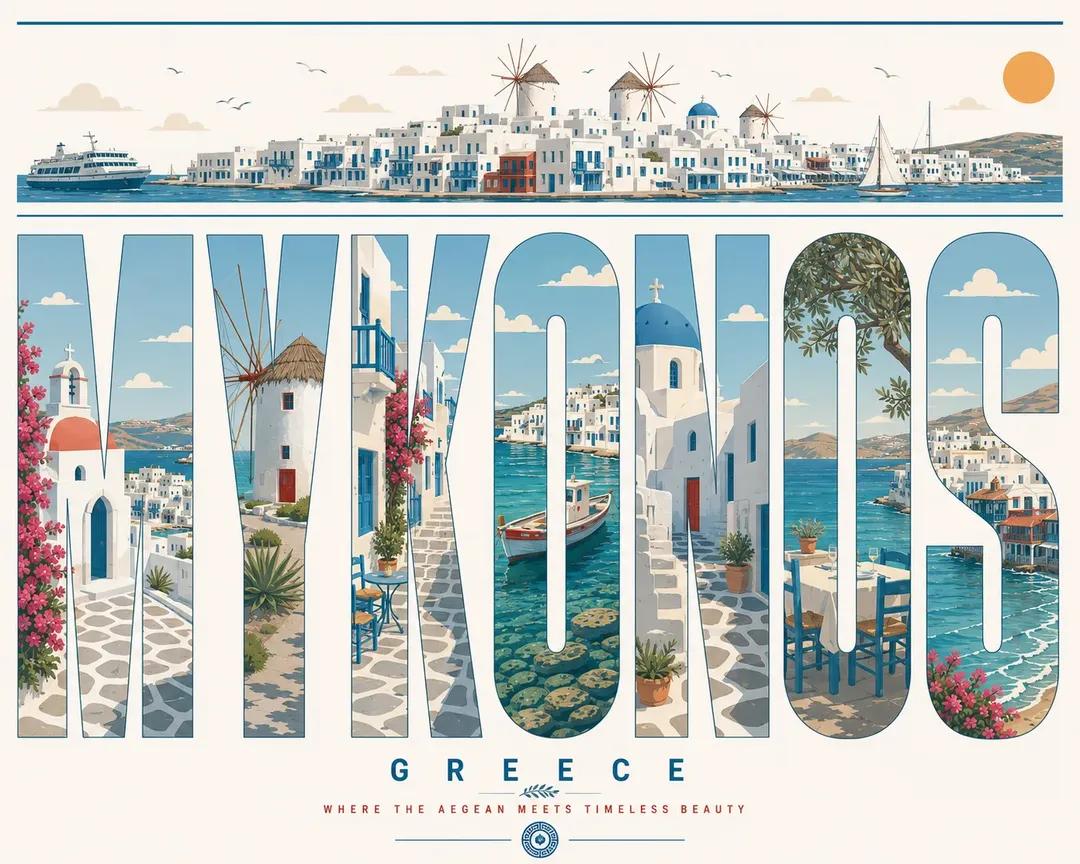
Create an ultra-high-resolution typography-based travel poster design themed around [CITY NAME]. Aspect ratio: (16:9 poster) IMPORTANT: All visible text inside the poster must be in English only. Typography must be perfectly spelled and professionally typeset. Absolutely no distorted letters, random symbols, broken text, or AI-generated gibberish. Aspect ratio: 16:9 poster CORE COMPOSITION: Place the giant English word “[CITY_NAME]” prominently in the center of the composition Each individual letter should contain a different illustrated scene from the city Letters should be tall, elongated, bold sans-serif forms The typography itself should feel like a series of “city gallery windows” Distribute landmarks, streets, transportation, nature, culture, and architecture naturally across the letters Scenes should visually flow from one letter into another like one connected urban panorama TOP HORIZONTAL STRIP: At the top of the poster, include a thin panoramic horizontal strip containing: city skyline silhouettes cars trams or trains boats if relevant birds clouds sun All elements should appear minimalist, elegant, and rhythmically balanced. STYLE: mid-century modern editorial poster, Swiss graphic design, minimal vector illustration, architectural infographic aesthetic, travel typography poster, flat geometric illustration, ultra clean composition, premium magazine design, screen print poster feeling, retro-futuristic travel branding ILLUSTRATION STYLE: flat vector shapes only no realism no gradients no texture noise clean geometric shadows simplified architectural forms map-like top-down illustration mixed with side-view cityscape subtle line-art details perfectly clean vector edges strong negative space usage harmonious visual rhythm between letters TYPOGRAPHY: giant bold sans-serif typography letters occupy most of the canvas height ultra precise alignment each letter acts as an independent framed illustration panel smooth rounded corners where appropriate editorial spacing highly balanced composition typography must look professionally designed, print-ready, and geometrically perfect COLOR PALETTE: Automatically derive a cohesive palette inspired by [CITY_NAME]. Examples: coastal city → aqua, sand, coral, muted teal desert city → terracotta, beige, warm cream cyber city → mint, navy, steel blue historic European city → dusty rose, olive green, parchment Use: muted pastel tones soft vintage travel poster colors elegant low-saturation combinations maximum 4–6 colors only CONTENT GENERATION: Automatically include: iconic landmarks of [CITY_NAME] famous streets and transportation local urban patterns nearby nature elements skyline silhouettes bridges, rivers, or coastline if relevant culturally symbolic architecture recognizable local atmosphere COMPOSITION: centered typography composition white or soft ivory background lots of breathing room top panoramic strip balances the heavy typography below asymmetrical but visually balanced layout each letter contains different scene depth and perspective premium poster hierarchy with museum-quality layout MOOD: premium, intellectual, calm, design-forward, travel editorial aesthetic, stylish enough for a museum gift shop poster QUALITY: 8K ultra detailed, print-ready, extremely sharp vector edges, perfect typography rendering, clean professional graphic design, high-end editorial poster quality, no distorted text, no random characters, no spelling errors, no AI artifacts
How to Use This Prompt

  1. Copy the full prompt text with the copy button above.
  2. Replace any [bracketed] placeholders with your own subject, scene, or details.
  3. Paste it into Gemini / Nano Banana Pro — or hit "Try this Prompt" above to generate here for free — then tweak the wording against the example images.

Style Notes

Poster
Single-image layout designed to be read at a glance: dominant visual, title-friendly composition, high contrast for print or thumbnail.
3D Render
CGI look — smooth surfaces, controlled global illumination, and depth that reads like a Blender/Cinema 4D render instead of a photograph.
Illustration
Hand-drawn or digital-painting aesthetics — visible strokes, stylized shapes and colors, deliberately not photoreal.
Typography
Text is part of the artwork. Modern models like Nano Banana Pro can render legible styled lettering, but keep the exact wording short and quoted in the prompt.
Logo / Icon
Symbol-first design — simple geometry that survives being scaled down, flat color, strong silhouette. Expect to vectorize the output before real use.
Minimalist
Few elements, generous negative space, restrained palette — the model is told to leave things out, which makes composition errors much less likely.
Vintage Print
Aged print artifacts — grain, halftone dots, faded inks, retro typefaces — evoking mid-century posters and old magazines.
Character Design
A character presented for reference: readable silhouette, costume and prop details, often multiple angles or expressions in one sheet.
Vehicle
Automotive rendering — reflective paint, wheel and grille detail, low dramatic angles borrowed from car commercials.
Architecture
Buildings and structures with believable perspective and materials — wide lenses, strong leading lines, attention to light on facades.

FAQ

How do I use this prompt with Gemini (Nano Banana Pro)?

Copy the full prompt with the copy button above, paste it into Gemini or any Nano Banana Pro-powered tool, and compare your result with the example images on this page. You can also click "Try this Prompt" to generate directly on this site — free daily generations, no sign-up needed.

Can I customize "Giant City-Name Typography Travel Poster"?

Yes. Anything in [brackets] is a placeholder meant to be replaced with your own subject or details, and you can freely adjust subject, lighting, or style keywords — small wording changes often produce noticeably different results.

Which AI models does this prompt work with?

It was originally shared for Google's Gemini image models (including Nano Banana Pro). Most text-to-image models will understand it too, though composition and text rendering quality vary by model.
Related Prompts