Skip to content
Back to Prompts

Luxury Product Photography Editorial Campaign

@Strength04_X··52

This prompt generates high-end commercial product photography, mimicking a luxury editorial campaign with detailed instructions on branding, material, lighting, and composition.
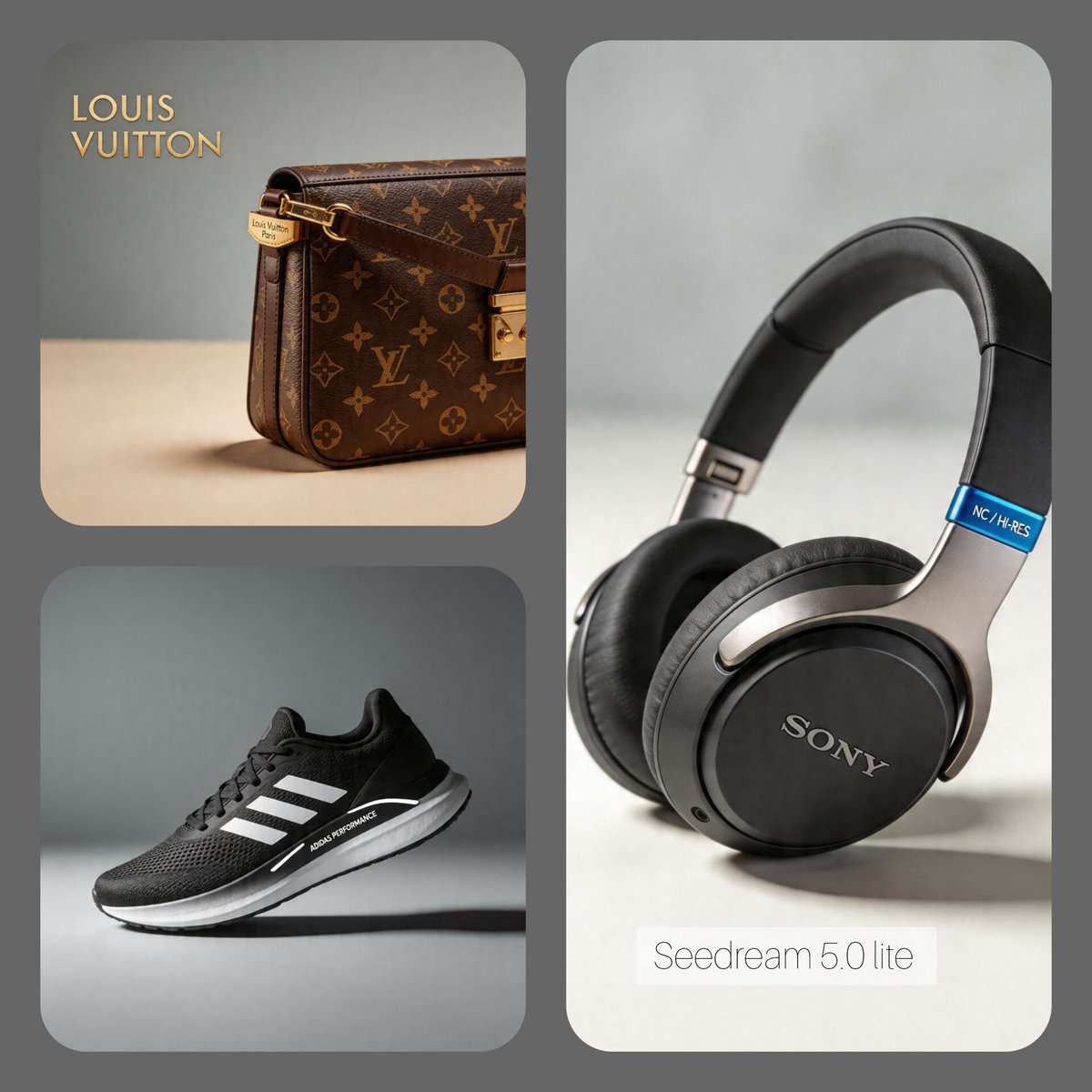
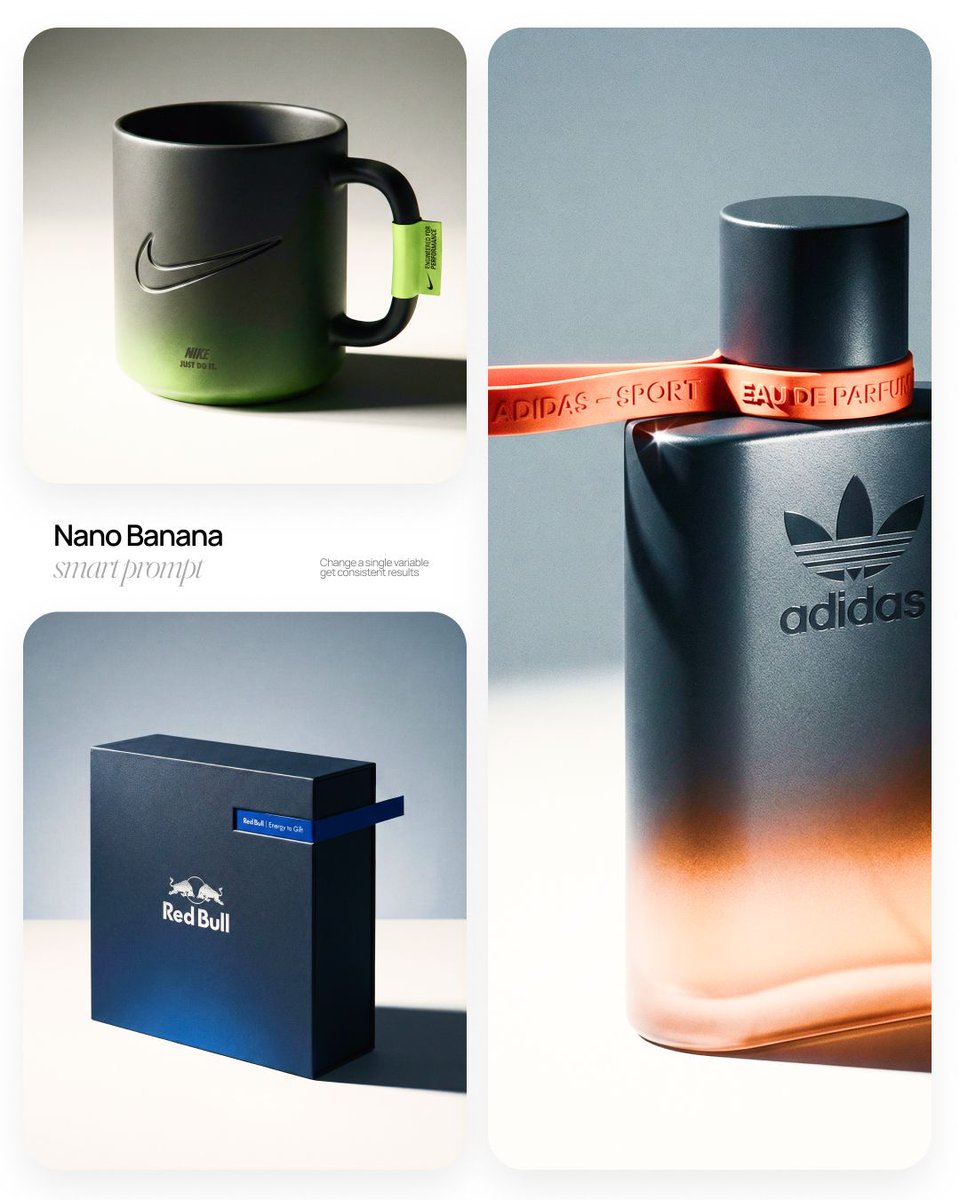
Luxury Product Photography Editorial Campaign — image 1
Luxury Product Photography Editorial Campaign — image 2
Prompt
[Apple] | [smartphone] Act as a High-End Commercial Product Photographer and Creative Director shooting a luxury editorial campaign (Hypebeast / Highsnobiety /Wallpaper* level). PHASE 1: BRAND INTELLIGENCE The hero subject is a [smartphone] branded for [Apple]. Autonomously determine [Apple]'s full visual identity: signature color palette, typographic DNA, logo mark geometry, material language, and cultural positioning. Apply this identity to the [smartphone] with precision — do not invent a generic brand, decode the real visual codes. PHASE 2: OBJECT SURFACE & MATERIAL DNA Regardless of the shape of [smartphone], apply this material system: Base tone: deep neutral — matte dark graphite, warm charcoal, or matte black. Fine-grain surface micro-texture visible under raking light — powder-coat, matte paper, or brushed material feel. Subtle gradient bloom: the base color dissolves in the lower portion of the object's surface into the brand's most iconic accent color — a soft luminous haze from within the material, not a printed graphic. Logo application: embossed, debossed, or metallic foil relief — catching specular light at edges only. Precise. Restrained. Typography: brand-accurate typeface, small tracking, positioned with editorial intentionality. PHASE 3: THE ACCENT BREAKOUT ELEMENT This is the signature design move — adapt it to the natural geometry of [smartphone]: Identify the most logical "interruption zone" on [smartphone] — a seam, edge, band, collar, rim, strap, or wrap point. At this zone, apply a narrow saturated accent element in the brand's most iconic hue — vivid, slightly matte. This element must visually "break out" of the object's boundary — extending, protruding, or wrapping beyond the expected edge, creating a deliberate 3D tension between the object and the detail.The accent element carries a micro-typographic brand detail — tagline, model name, or descriptor — small, precise, tracked. PHASE 4: STAGING & COMPOSITION Studio cyclorama. Surface tone: off-white to warm light gray. Background field: cool neutral mid-gray, darker in upper zone. [smartphone] positioned at 3/4 angle — front face and one secondary surface simultaneously visible. Rule of thirds: object occupies right 60% of frame. Left field: generous negative space — intentional, not empty. Single hard-edged directional shadow cast to the right and slightly downward — crisp penumbra, no diffusion. PHASE 5: LIGHTING Single dominant key light: large softbox, camera-left, elevated at 40°. Specular highlight traces the top-left edge of [smartphone] — revealing material grain. Shadow side: no fill. Darkness earns depth. Subtle ambient bounce from cyclorama floor — lifts shadow by 15%, no more. Accent element receives micro-specular glint along its dominant edge. Mood: Rembrandt chiaroscuro logic applied to product photography. No lens flare. No atmospheric effects. PHASE 6: TECH SPECS Lens: 85mm equivalent, f/4.5. Depth of field: object fully sharp, background softened. Chromatic aberration: subtle, at extreme frame edges only — optical realism signal. Film grain overlay: 15% opacity — anti-CGI-plastic treatment. Render: Octane / Ray Tracing quality —subsurface scattering where material demands it, global illumination, physically accurate shadow falloff. Aspect ratio: autonomously determine optimal ratio for this [smartphone] format.

How to Use This Prompt

  1. Copy the full prompt text with the copy button above.
  2. Replace any [bracketed] placeholders with your own subject, scene, or details.
  3. Paste it into Gemini / Nano Banana Pro — or hit "Try this Prompt" above to generate here for free — then tweak the wording against the example images.

Style Notes

Photo
Asks the model for photorealistic output — natural lighting, believable skin and materials, camera-like depth of field — rather than illustration or 3D looks.
Cinematic
Film-style rendering — widescreen framing, dramatic lighting contrast, graded colors (often teal-orange), and a sense of narrative in the scene.
Product Shot
E-commerce style product photography: the item isolated on a clean or styled surface, even studio light, true-to-material color.
Luxury
Premium cues: rich materials (marble, silk, brushed metal), subdued gold/black palettes, and restrained, spacious composition.
Studio Lighting
Controlled artificial light (softboxes, rim lights) — clean shadows and highlight control, the standard look of commercial portrait and product work.
Marketing Campaign
Ad-ready imagery: clear product or message hierarchy, space reserved for copy and logos, and a polished commercial finish.
Social Media Post
Composition and aspect ratio tuned for feeds (Instagram, X, Xiaohongshu): bold focal subject, room for overlay text, colors that survive small screens.
Brand Identity
A coherent visual system — consistent palette, typography and motif across the image — rather than a single pretty picture.
E-commerce Listing
Marketplace-ready product imagery: white or lifestyle background, accurate color, standard crops that fit listing templates.
High Detail
Pushes the model toward micro-texture and fine rendering — pores, fabric weave, surface wear — at the cost of a busier image.

FAQ

How do I use this prompt with Gemini (Nano Banana Pro)?

Copy the full prompt with the copy button above, paste it into Gemini or any Nano Banana Pro-powered tool, and compare your result with the example images on this page. You can also click "Try this Prompt" to generate directly on this site — free daily generations, no sign-up needed.

Can I customize "Luxury Product Photography Editorial Campaign"?

Yes. Anything in [brackets] is a placeholder meant to be replaced with your own subject or details, and you can freely adjust subject, lighting, or style keywords — small wording changes often produce noticeably different results.

Which AI models does this prompt work with?

It was originally shared for Google's Gemini image models (including Nano Banana Pro). Most text-to-image models will understand it too, though composition and text rendering quality vary by model.
Related Prompts